
Site Assistant. Aivinson guides your visit.
Your phone becomes a partner on site. It plans where to go, tells you what to photograph and writes up what you see. No signal? Keep working; it syncs when you are back online.
The problem
A site visit should not end with a second trip.
A missed photo means a drive back. Notes on paper mean retyping at the desk. An interview from memory means details lost.
Missed
photos that send someone back to the site
Retyped
field notes and captions, hours later
Forgotten
interview details that never reach the report
A guided walk
Your visit, step by step.
Pick a step to see how Site Assistant helps on site.
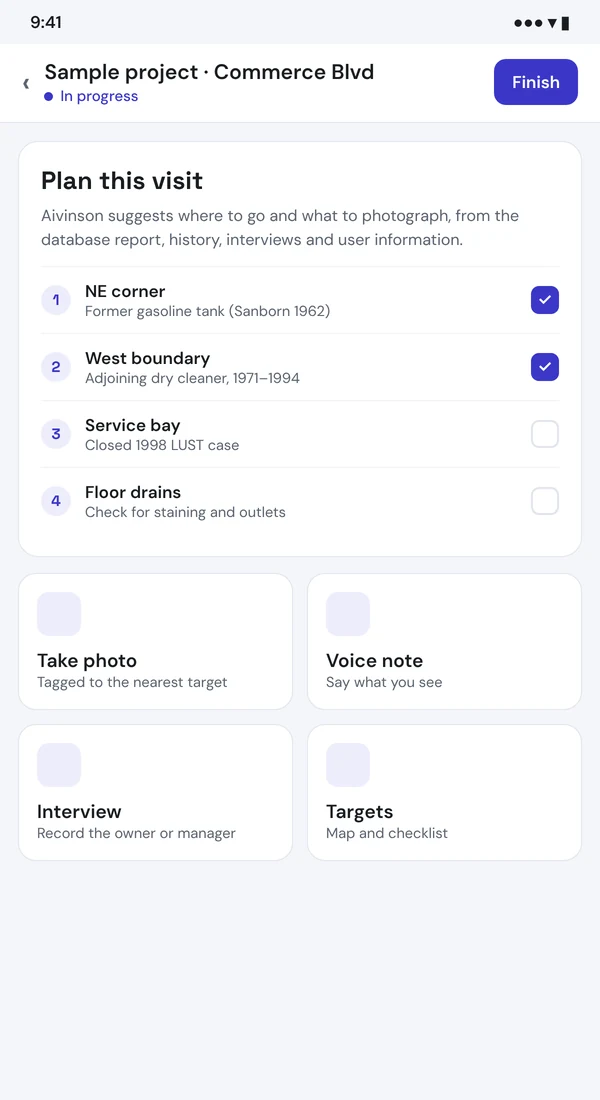
A plan built before you arrive.
Aivinson suggests where to go and what to photograph from the database report, site history, interviews and user information. You review every suggestion.
- Targets drawn from the project’s own records
- Accept, edit or skip each suggestion
- You stay in charge of the visit
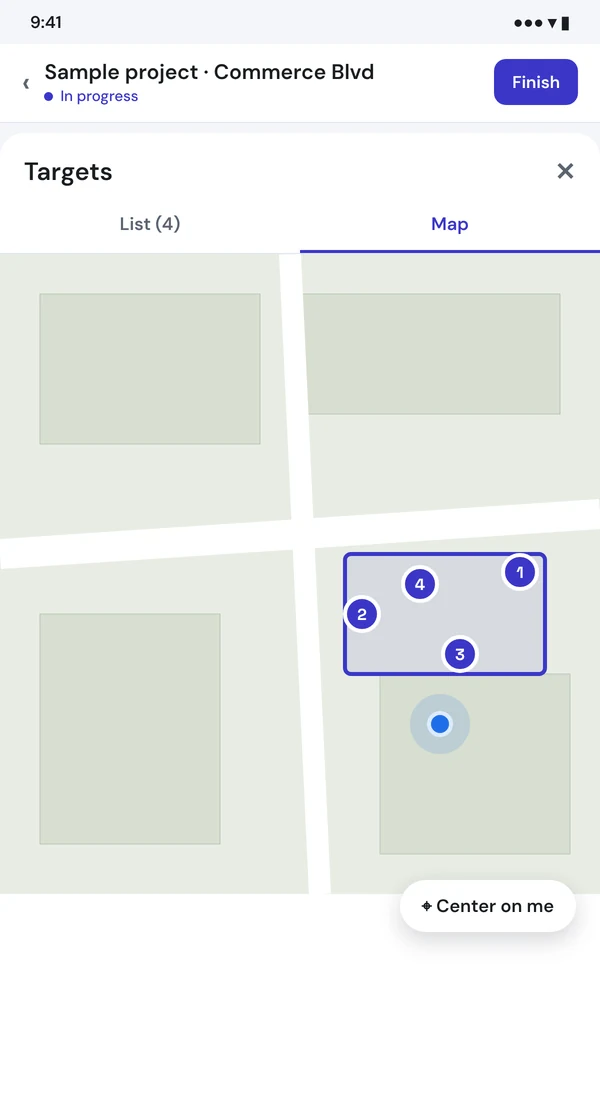
Know where to go next.
A map and checklist of every target, with the property outlined on aerial imagery.
- Map and list views of every target
- Center the map on your location
- Check targets off as you go
Photos that file themselves.
Every photo is tagged to the nearest target, so it lands in the right place in the report.
- Tagged to the nearest target
- No sorting at the desk
- Ready for captions and review
Say what you see. Aivinson writes it.
Describe an observation out loud and Aivinson turns it into a written note in the project.
- Hands stay free for the camera
- Clear written notes, not raw audio
- Saved with the project
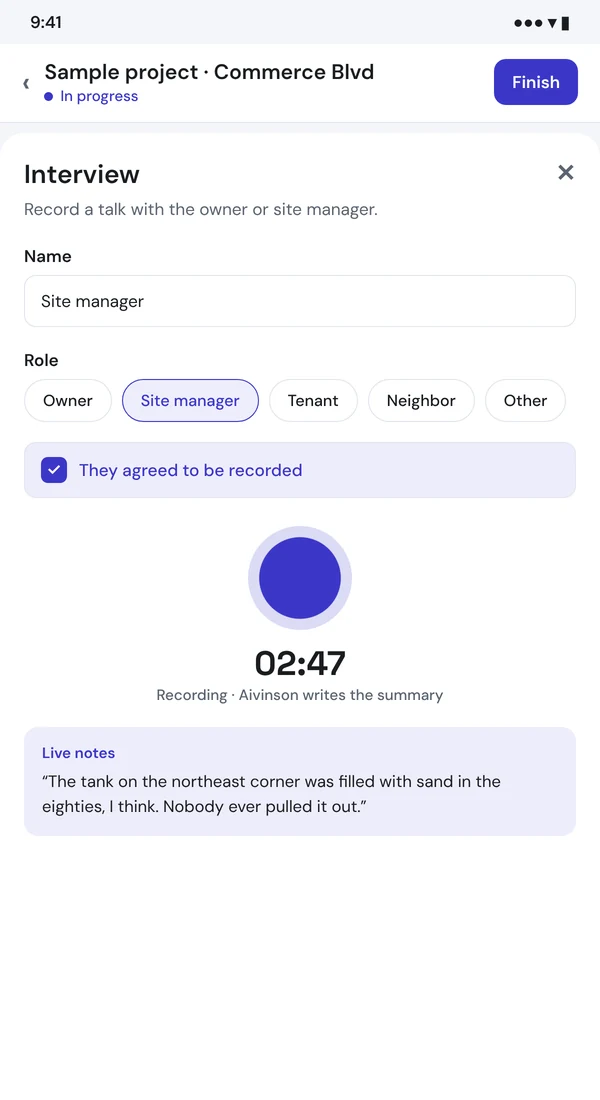
Record the interview, with consent.
Talk with the owner, site manager, tenant or a neighbor, and keep the conversation with the project.
- Choose who you are talking to
- Consent check before recording
- Saved to the project for the report
No signal? Keep working.
Site Assistant works without a connection and syncs with Aivinson when you are back online.
- Full visit works offline
- Syncs automatically when you reconnect
- Everything flows into the report
Built for the field
Everything an assessor needs on site.
AI visit plan
Where to go and what to photograph, from the records.
Target map
Every target on a map and a checklist.
Tagged photos
Each photo filed to the nearest target.
Voice notes
Speak; Aivinson writes the note.
Interviews
Recorded with consent, saved to the project.
Works offline
Keep working with no signal; it syncs later.
Straight into the report
Photos, notes and interviews arrive where the draft needs them.
Before and after
The site visit, today and with Site Assistant.
Today
How a visit usually goes.
- BeforePrint records and guess where to look
- On siteNotes on paper, photos in a camera roll
- InterviewsWritten from memory afterwards
- No signalWork stops or notes get lost
- Back at the deskSort photos, retype notes, write captions
With Site Assistant
How the visit goes instead.
- BeforeA plan built from the records, reviewed by you
- On siteTargets on a map, photos tagged as you take them
- InterviewsRecorded with consent, saved to the project
- No signalKeep working; it syncs later
- Back at the deskEverything already in the report
FAQ
Questions, answered.
Which devices does it run on?
Site Assistant runs today in the Aivinson app on any phone or tablet browser. Native iPhone and Android apps are coming soon.
Does it work without a signal?
Yes. The visit works fully offline and syncs with Aivinson when you reconnect.
Does it decide what matters on site?
No. It suggests where to go and what to photograph. You review every suggestion and make the call.
How is interview consent handled?
Before recording, the interview screen asks you to confirm the person agreed to be recorded.
Where do photos and notes end up?
In the project, tagged to their targets, ready for drafting and review.
See Site Assistant on a real site visit.
Aivinson is in private beta. Join the waitlist and we will reach out when early access opens.